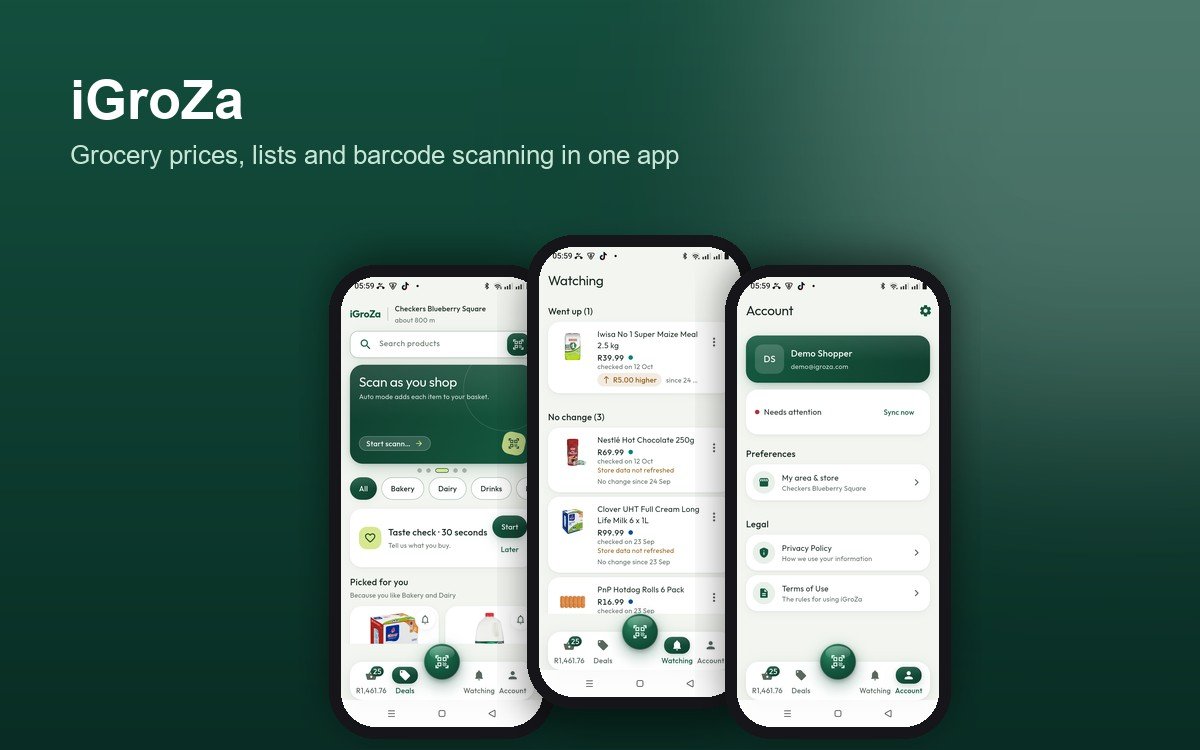
iGroZa is a free grocery app for South African shoppers. It helps you scan what goes into your trolley, see the running total against your budget, and check each price against the date the store reported it. The test version is for Android and is shared with invited testers from igroza.com.
Why we built it
Most of us find out the total at the till. Prices differ between stores and between branches, and they are hard to compare while you are shopping. iGroZa keeps the basket on your phone, shows what it costs as you go, and is clear about where every price comes from.
Four steps, one phone
- **Scan:** point the camera at a barcode, or type the number. The product goes into your basket.
- **Add:** the basket keeps every item, quantity and price on your phone, even with no signal.
- **See:** a running total, a budget bar, and a clear line for items that have no store price yet.
- **Watch:** Watching shows today's price beside the price you saved, and the date it was checked.
Scan as you shop
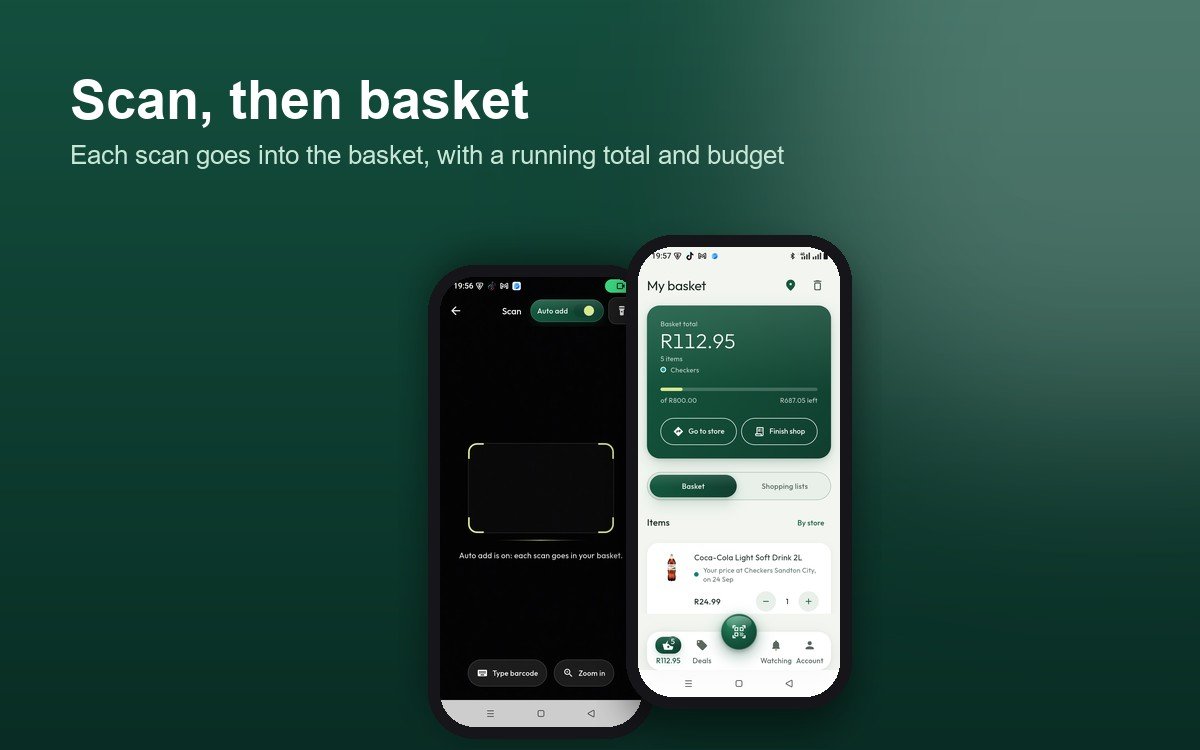
The scanner opens from the middle button at the bottom of the screen. With Auto add switched on, each scan goes straight into the basket with a short banner and an Undo button. You can also type the 8, 12 or 13 digits under a barcode, and it uses the same lookup as the camera.
An item that no store has priced yet goes in as "Price needed", never as R0. A zero would quietly make a basket look cheaper than it is. If camera access is refused, the scanner says so and offers Open settings or Type the barcode.
The basket and budget
The green card at the top shows the basket total, the number of items, and the store the total comes from. Set a budget and a bar shows what is left, or how far over you are. Items with a store price are added up. Items without one are counted separately.
**Go to store** opens Google Maps or Waze at the branch you choose. **Finish shop** gives a receipt of the basket as it stands: each store's known subtotal, and whether you are under or over budget. **Clear basket** empties it, after you confirm.
Deals and search
Deals is the feed of store prices for your area. The top card shows your store and how far away it is. You can browse by category, such as Bakery, Dairy, Drinks and Household. "Picked for you" ranks products from the aisles you say you buy.
Search covers the whole catalogue on the phone, so it works without a signal. Each result shows the store's colour dot before the price. Turn on store names in Settings if you want the names as well; the product sheet always has every date.
Every price has a store and a date
This is the rule the team cared about most. The app shows what a store reported, and nothing else.
- A price appears only when a store reported it. The app does not estimate, multiply or invent specials.
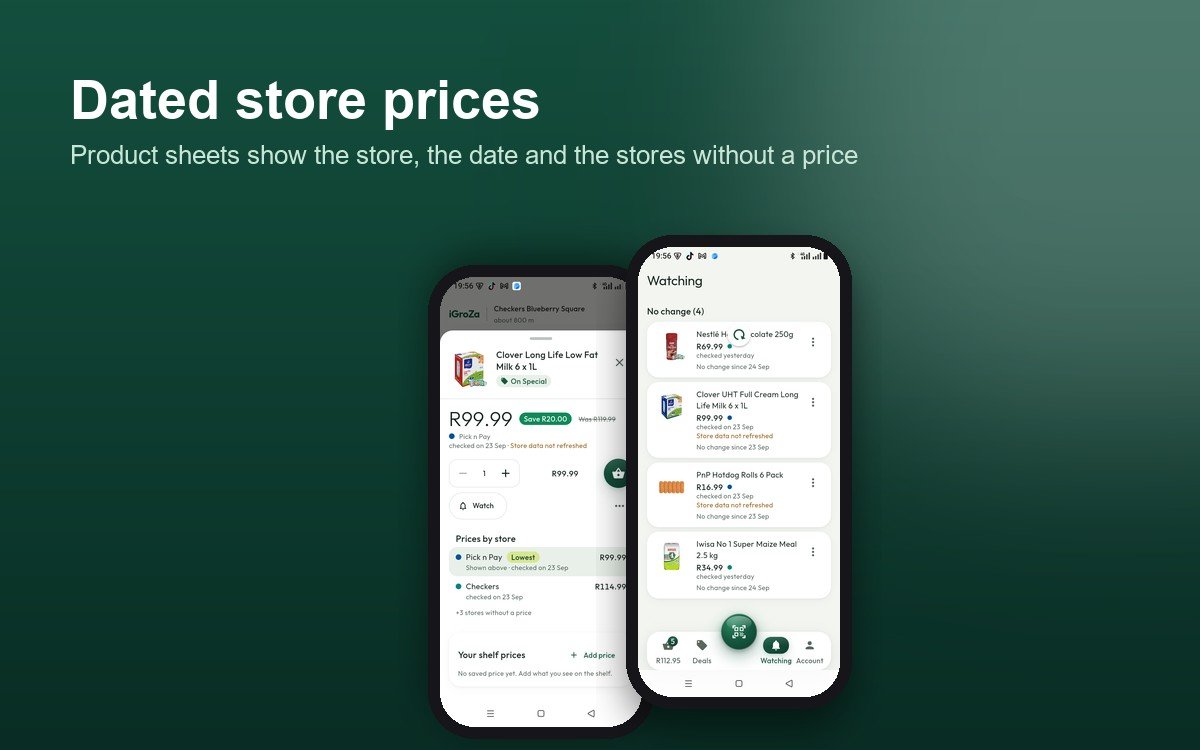
- Each price shows the store and the day it was checked.
- A "was" price counts only when the store gives one. Then the app shows the saving from that number.
- Offers with conditions, such as loyalty, multibuy, a region or a branch, are labelled "With conditions". They never go in the comparison or the basket.
- Stores with no price are counted, not listed: "+3 stores without a price" is shown instead.
- Old data is marked "Store data not refreshed".
- The cheapest reported price is marked "Lowest" and listed first.
Watching what moves
Tap the bell on any product to watch it. Watching splits your products into those whose price has moved and those whose price has not. Each row shows the current price, the price you saved, and the date it was checked.
Watching works when you open the app. Price-change notifications are planned but not yet built.
Lists, your items and shelf prices
Make a list for the week, add products, and add the whole list to your basket in one tap. Each item shows its latest known store price, with "Choose price" when a store has more than one.
- **My items:** add a product that is not in the catalogue, with its barcode filled in.
- **Shelf prices:** when you see a price on the shelf, save it with the branch and the date. It appears as "Your price at [branch], [date]". It is yours and is never mixed into store prices.
- **Weekly Taste check:** once a week, eight products to say "I buy this" or "Not for me". The answers stay on your phone. They can only change the order of Picked for you, never a price, and you can switch them off in Settings.
Stores near you
Set your area by typing a suburb, using an area you saved, or tapping "Use my location". The app asks for location only when you tap that button. It lists the nearest branches with straight-line distances, marked "about", and it never picks a store for you.
Store choice is only context. It never changes a price, because each price is that retailer's own published price. The app holds more than 1,600 branches of Checkers, Pick n Pay, Woolworths, Shoprite and SPAR. Store locations come from OpenStreetMap contributors (ODbL).
Accounts, sync and your data
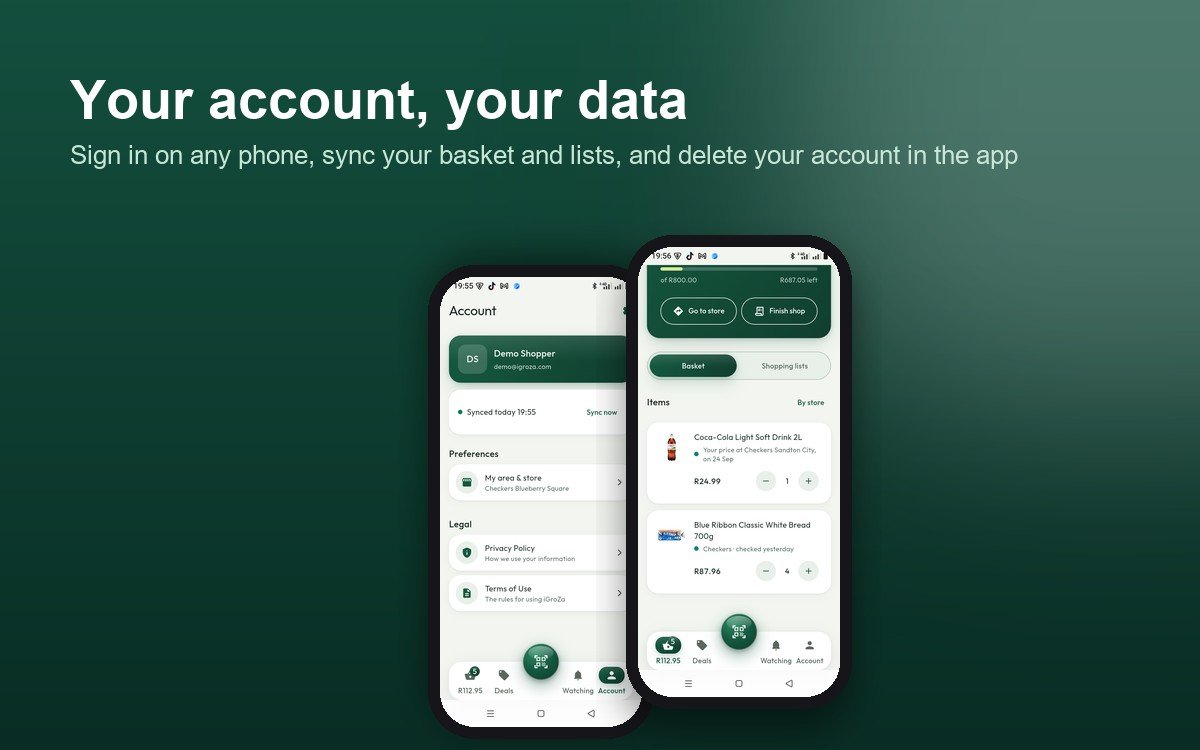
Create an account with your email, verify it, and sign in on any phone. Your basket, lists and watched items sync to your account, and the Sync card shows when the last sync ran. If two phones changed the same thing, you choose: Keep mine, or Use other phone's.
The catalogue and your basket live on the phone, so the app works with no signal. To delete your account, go to Account in the app and tap Delete account. The server removes the account within 30 days. The Privacy Policy and Terms of Use are on igroza.com and in the app.
Where the prices stand today
Coverage is different for each chain, and the app shows a price only where it has one:
- **Checkers:** product pages are checked every day. Many products have a price, and each price shows its date.
- **Shoprite:** product pages are checked every day, and prices are shown with their date.
- **Pick n Pay:** products are listed, but prices are not yet shown in the app.
- **Woolworths:** a small number of dated prices so far.
- **SPAR:** there is no online price list. SPAR branches are shown, but there are no SPAR prices yet.
New prices reach the phone every few hours, so numbers in the app change as the data changes.
How it is built
- **Android app in Flutter**, prepared for a later iOS release from the same code.
- **A local database on the phone**, so lists, the basket and cached prices work offline.
- **Barcode scanning** with the phone camera, plus a typed fallback.
- **A Laravel API** for sign-in, email verification, password reset, account deletion, and a sync endpoint that pushes and pulls changes.
- **A web admin area** for users, stores and data checks.
- **Automated tests:** 61 test files across the API and the app.
Release and what is next
The test version is 1.3.4. It is shared as an APK from igroza.com, and the page publishes a checksum and the signing certificate so testers can check the file. Updates install over the existing app, so accounts and lists stay.
A Google Play release is planned but not yet out. Planned features not yet built: price-change notifications, a trip history, and a loyalty card kept on the phone.
