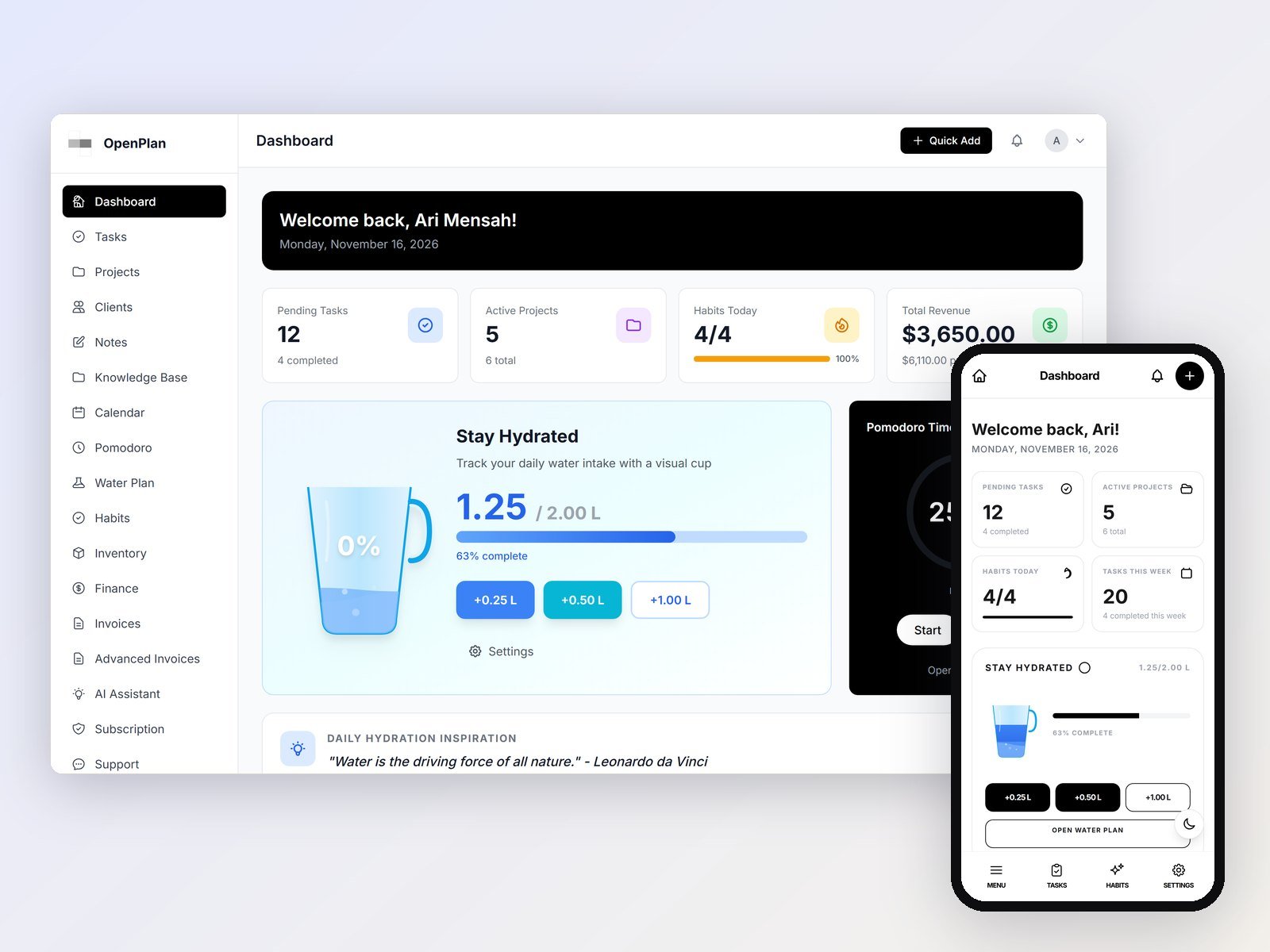
Many freelancers run their work from several tools at once: a to-do app, a spreadsheet for money, an invoice tool, and a notes app for client details. Each one works alone, and the details drift apart between them.
OpenPlan Work keeps those in one login. It is a free, open-source business workspace for projects, tasks, clients, invoices and finance. You download it and run it on your own server or computer, so your data stays with you.
A short tour of the main screens, taken from a fresh install with sample data.
What is in it
Projects and tasks
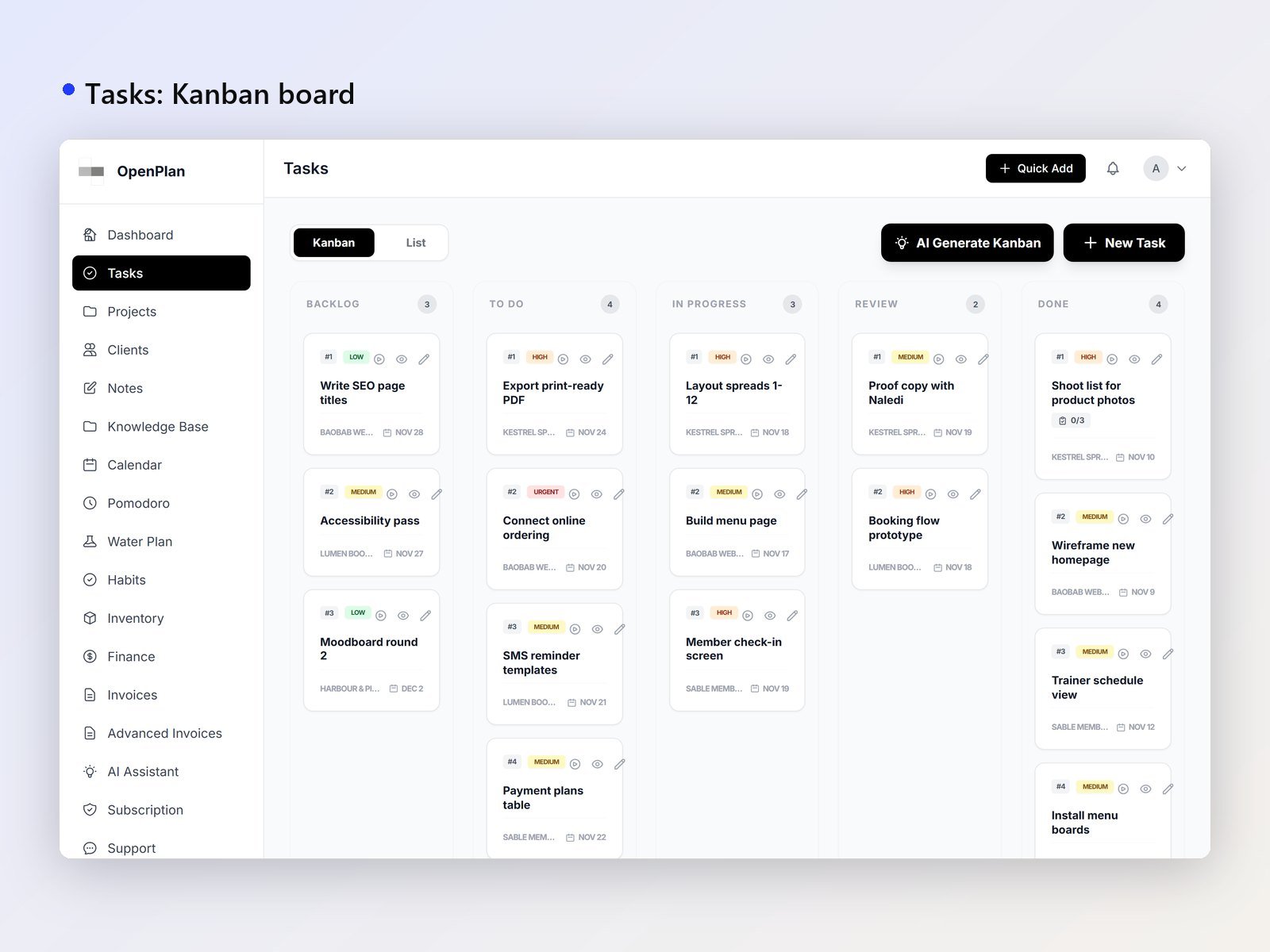
Tasks have priorities, due dates, statuses and subtasks. You can track time and reuse task templates. Each project has its own colour and progress, and the kanban board, calendar and meetings show the same work in different views.
Clients and money
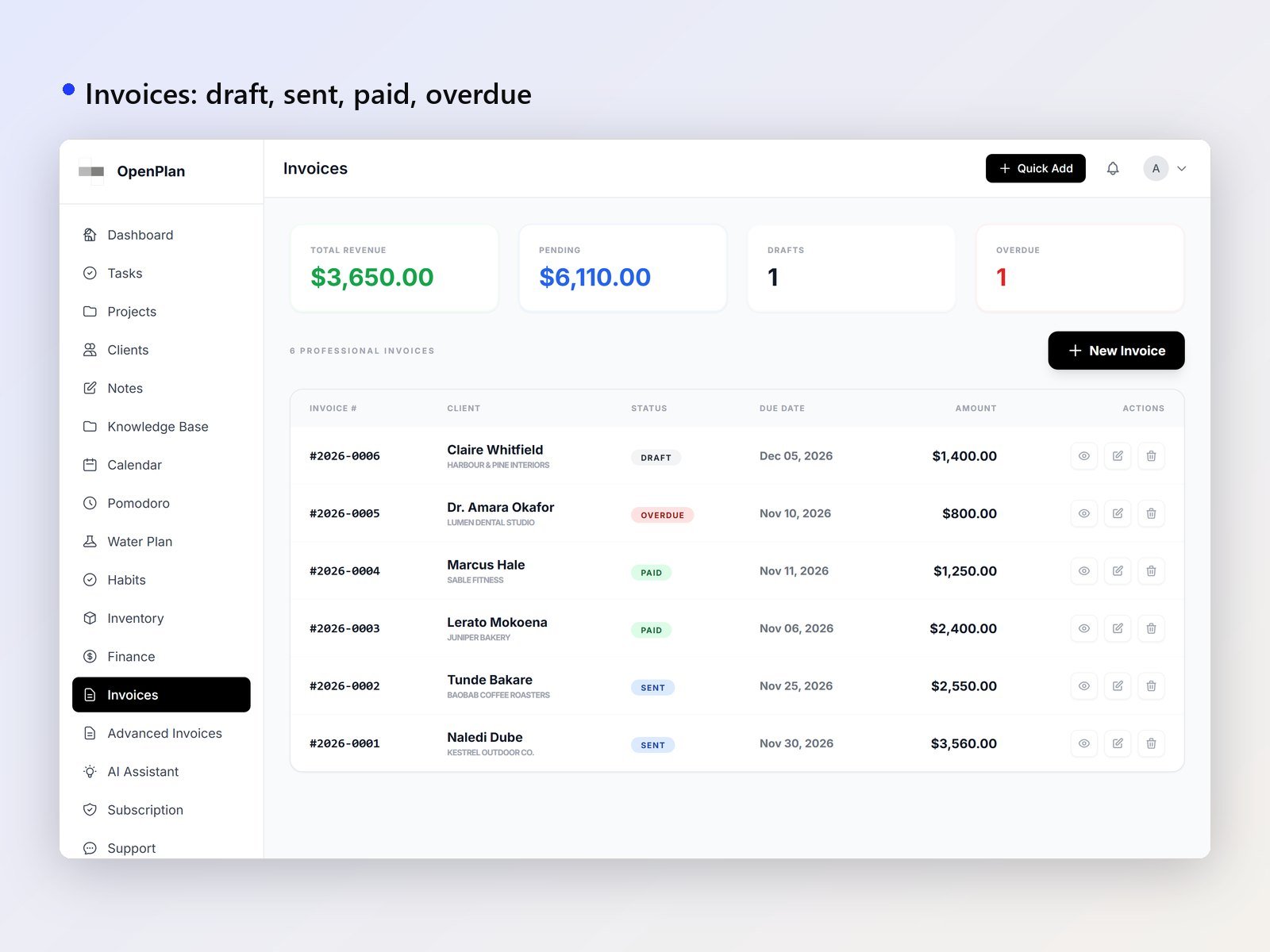
Each client record links to their projects and invoices. Invoices can be written in USD, EUR, GBP or ZAR, and you can see at a glance which are draft, sent, paid or overdue. Income and expenses are grouped by category, with a financial summary. Inventory shows stock levels and stock history, and links stock to tasks.
An AI assistant, if you want one
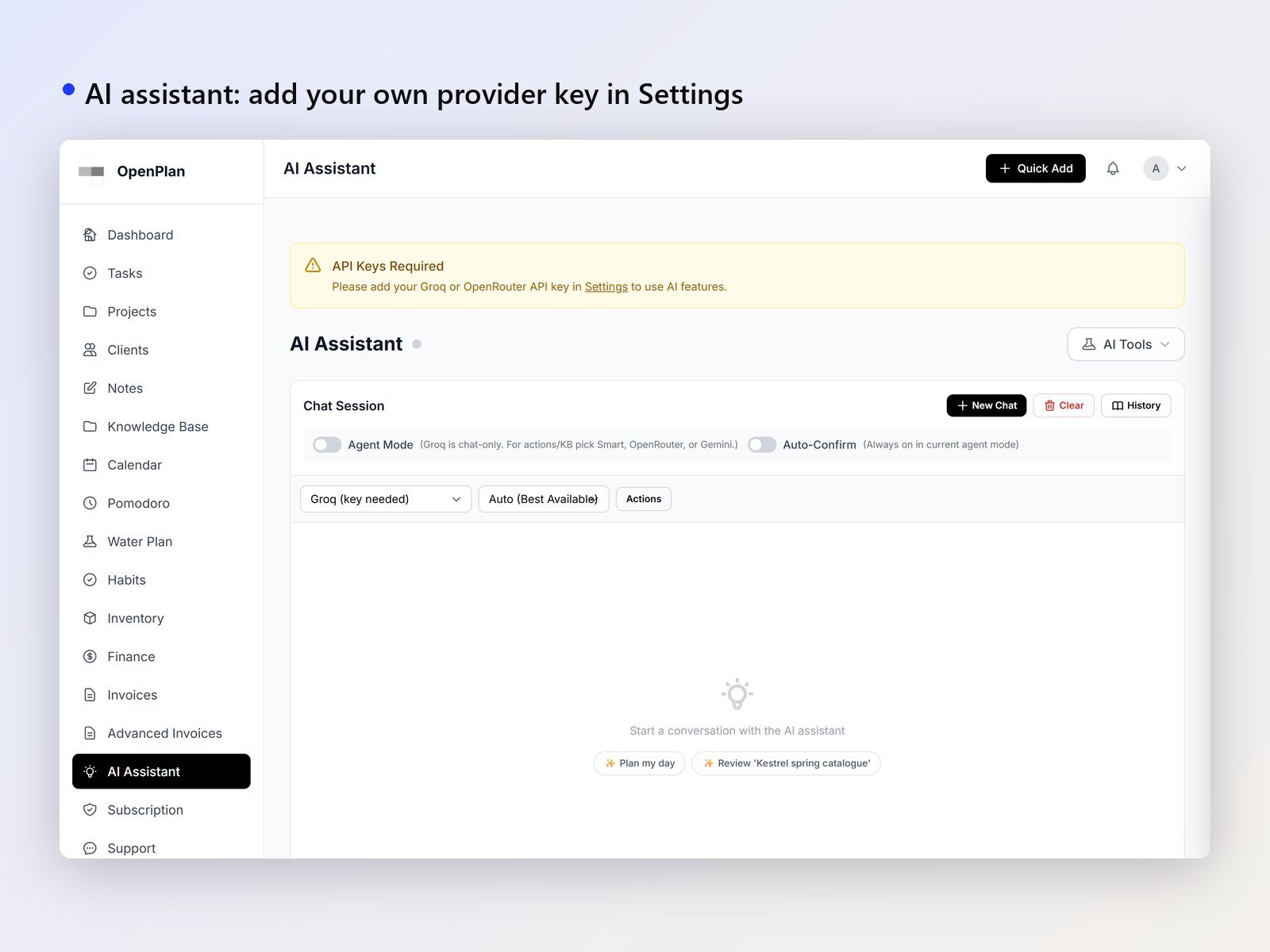
Ask in plain English to create a client, a project or a task, write an invoice, log an expense or draft a note. In agent mode the assistant carries out the action, and you choose whether to confirm it first. It works with Groq, OpenRouter (which gives access to Claude, GPT and others), Google Gemini, or a local model through Ollama. For the hosted options you bring your own key.
Connect it to your own AI tools
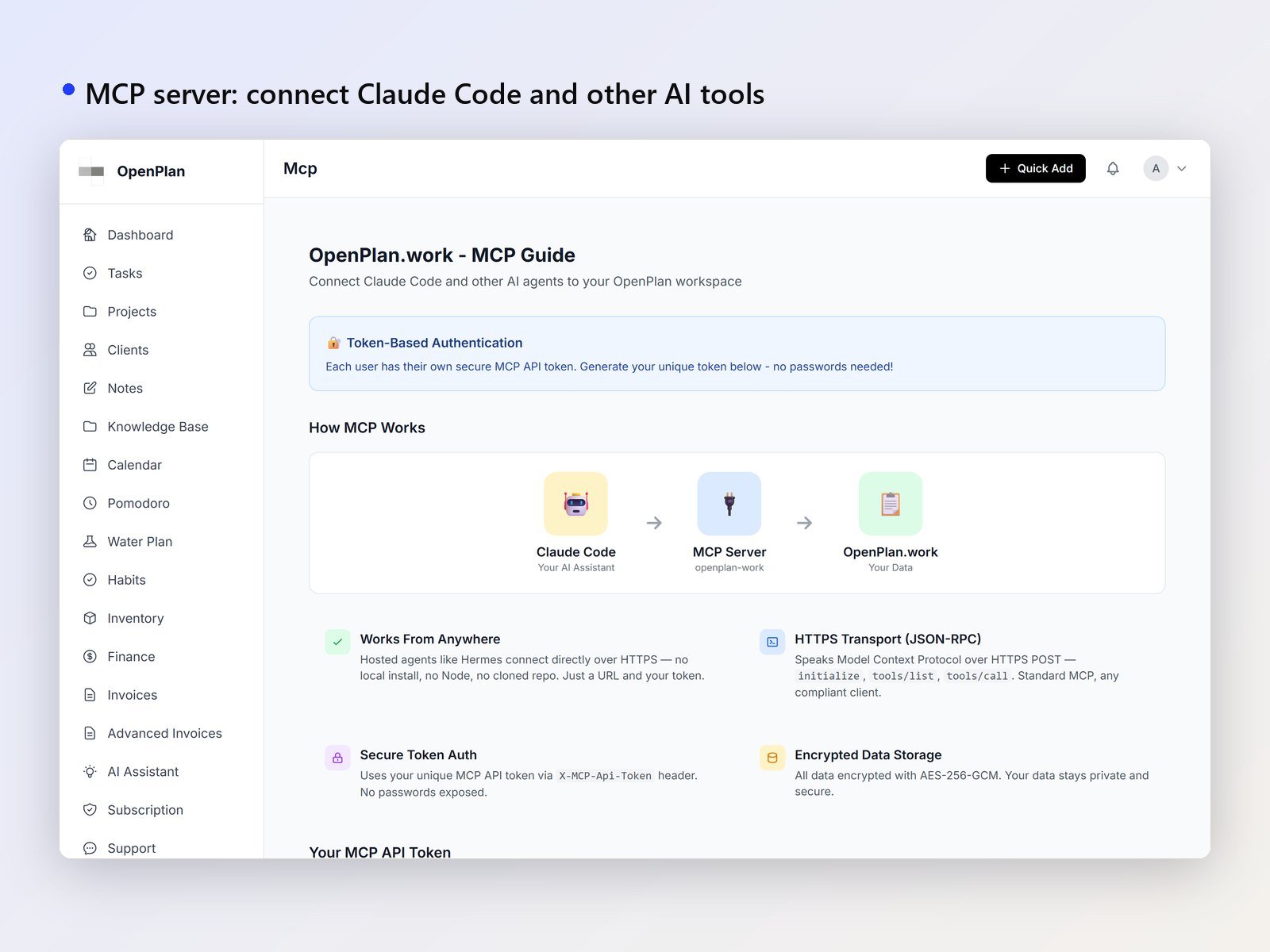
OpenPlan includes an MCP server with 86 tools, covering tasks, projects, clients, invoices, finance, notes and more. Claude Code, Cursor and other MCP clients can read and update the workspace directly.
Notes, habits and focus
Notes and a knowledge base live in the same workspace as the rest. There is also a habit tracker and a Pomodoro timer for focused work sessions.
On your phone
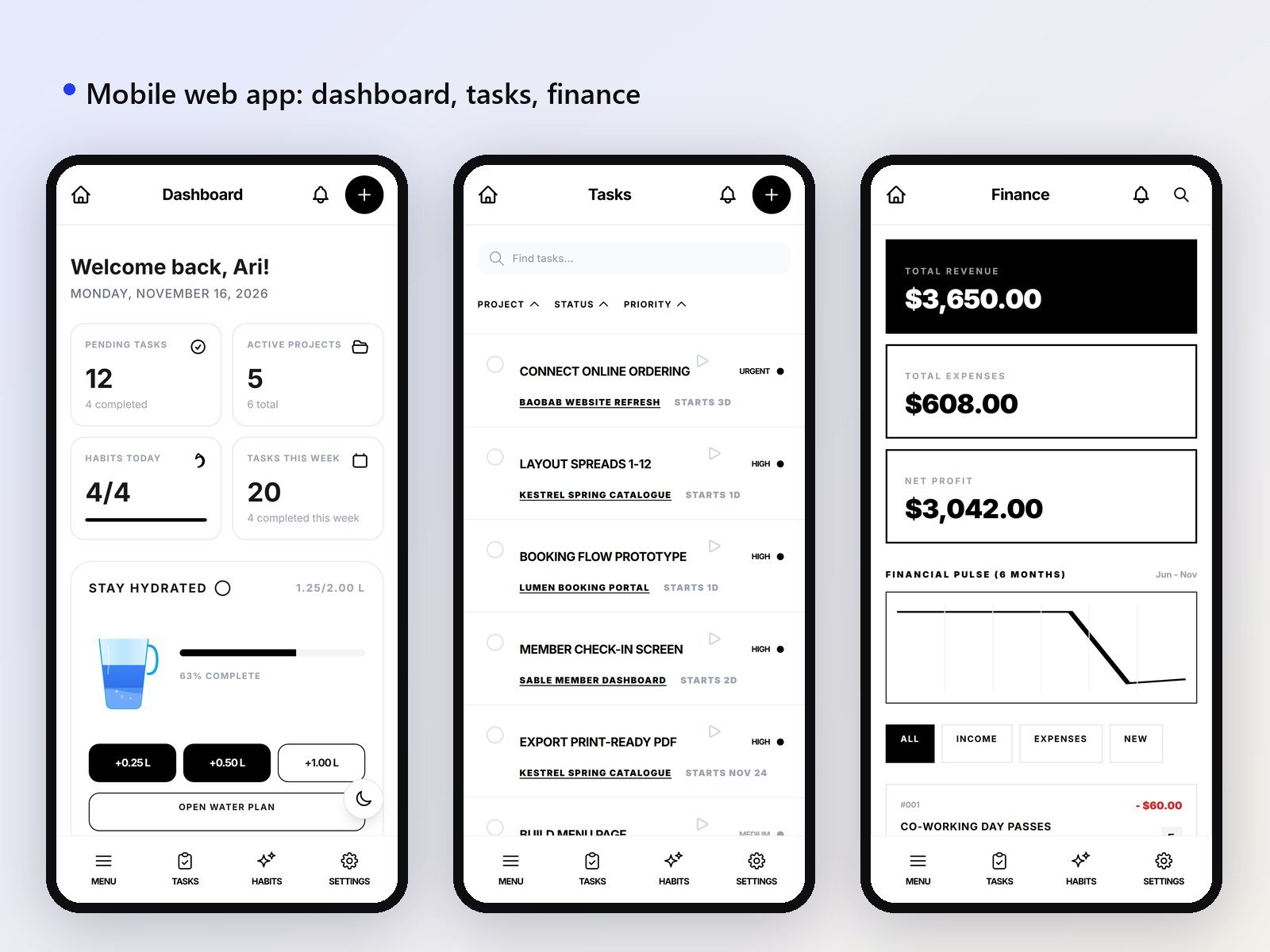
The layout is responsive, and there is a mobile web app. An Android app is included as well, with its Flutter source in the download.
Where your data lives
Your data is kept in encrypted files on your own server. There is no database to set up and no monthly fee.
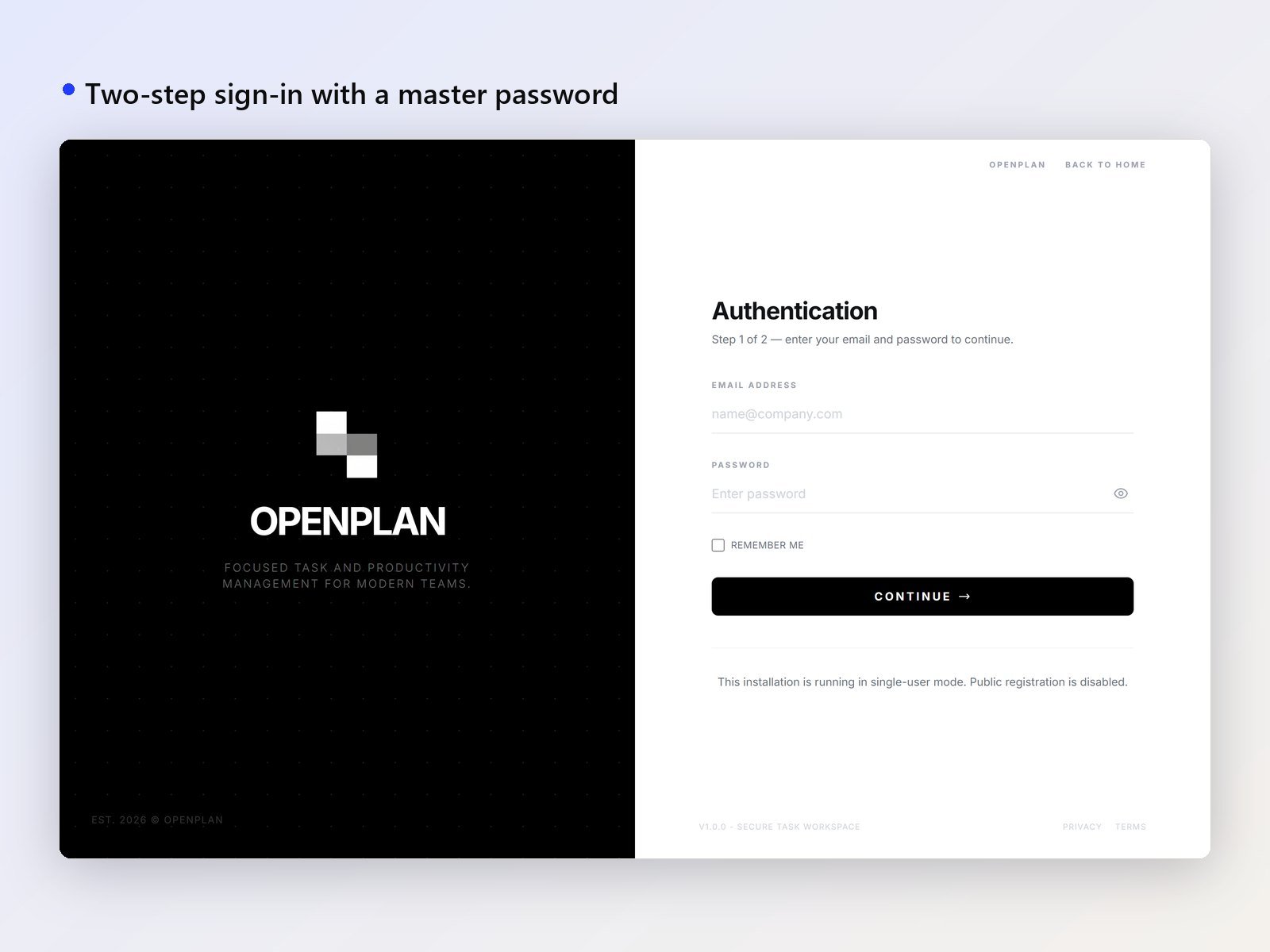
Running it yourself also means you handle the hosting. OpenPlan needs PHP 8.0 or newer. If you would rather not manage that, Demohomex can install it on your hosting, brand it for your business, or add your own modules.
Is it really free?
Yes. OpenPlan Work is licensed under AGPL-3.0. You can use it, change it and run it for your own business, including paid client work. If you let other people use a changed version over the internet, you share your changes under the same licence.
Frequently asked questions
Do I need a database?
No. The data is kept in encrypted files on the server where OpenPlan runs.
What does it run on?
PHP 8.0 or newer. It works in Chrome, Edge, Firefox and Safari.
Is there an app for my phone?
The web layout is responsive and includes a mobile web app. An Android app is included too, with its Flutter source in the download.
Is there documentation?
Yes. The documentation is included in the download.
You can download OpenPlan Work from the product page. Read the included documentation first, then decide whether running it yourself suits how you work.
