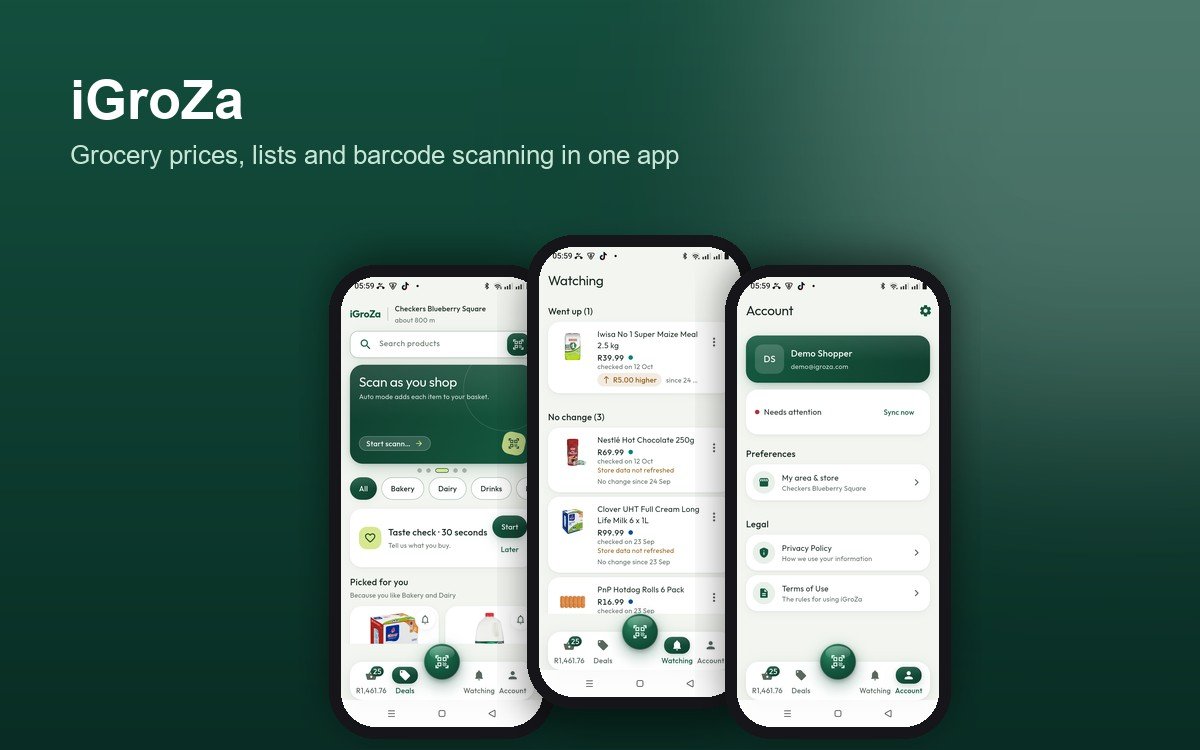
Most of us find out what the shopping cost at the till. Prices differ between stores and between branches, and they are hard to compare while you are pushing a trolley. iGroZa is our attempt to fix that: a free app for South African shoppers that keeps the basket on your phone, shows the running total, and is honest about where each price comes from.
The problem we started with
A shopping list on paper has no prices. A shopping list in a notes app has prices that are out of date by the time you read them. A store's app or website shows that store's prices only, and nothing tells you the total across the basket you are actually building.
We wanted one screen that answers three questions at any point in the shop: what is in my basket, what does it cost so far, and how much of my budget is left.
Decision one: never show a missing price as zero
The easiest way to build a basket total is to treat an unknown price as zero. The total looks lower, and it is wrong. iGroZa does the opposite. An item that no store has priced yet goes into the basket as "Price needed". It is counted separately, so the total is never flattered.
Decision two: every price has a store and a date
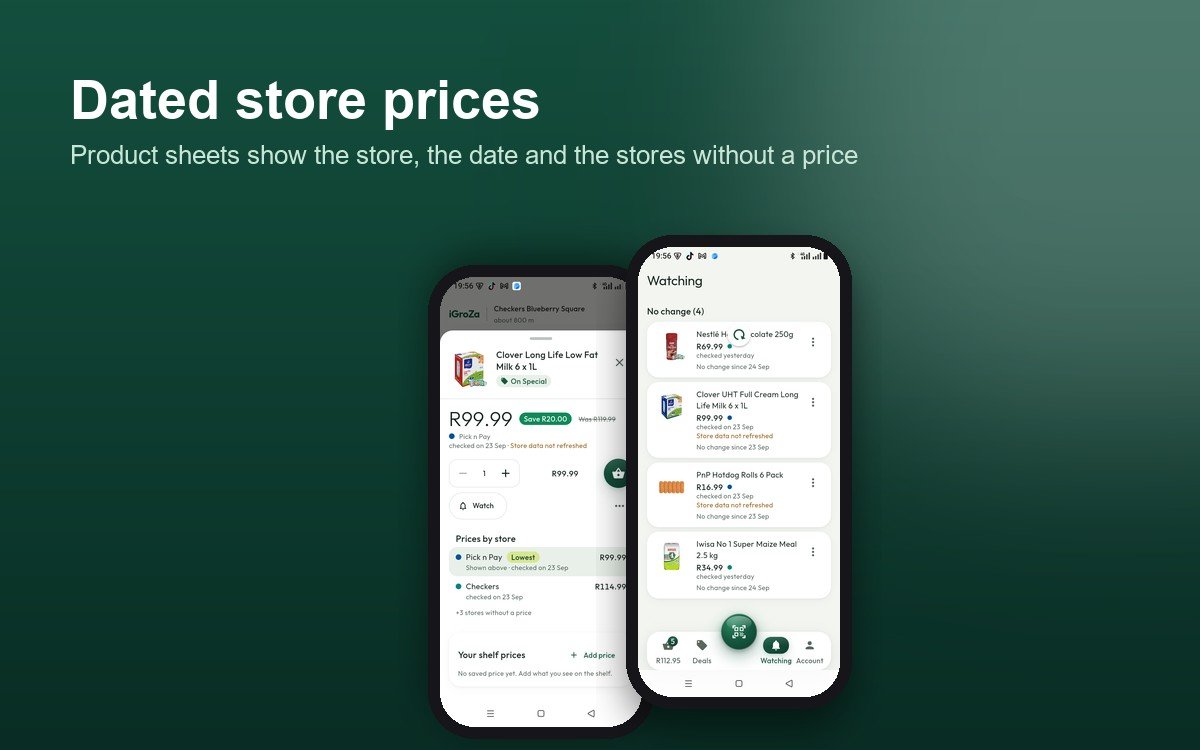
A price in iGroZa appears only when a store reported it. The app does not estimate, multiply or invent specials. Each price carries the store and the day it was checked, and an old price is marked "Store data not refreshed" so it cannot pass for a current one.
Offers that depend on a loyalty card, a multibuy, a region or a branch are labelled "With conditions", and they stay out of the comparison and the basket. Stores with no price are counted, not listed, so a missing store never looks like a cheap one.
Decision three: the phone works without a signal
Shoppers can lose signal inside a store, so the catalogue and your basket live on the phone. You can scan, search, edit the basket and check the budget with no connection. When you sign in, your basket, lists and watched items sync to your account. If two phones changed the same thing, the app asks you which version to keep, rather than guessing.
Scanning and the basket
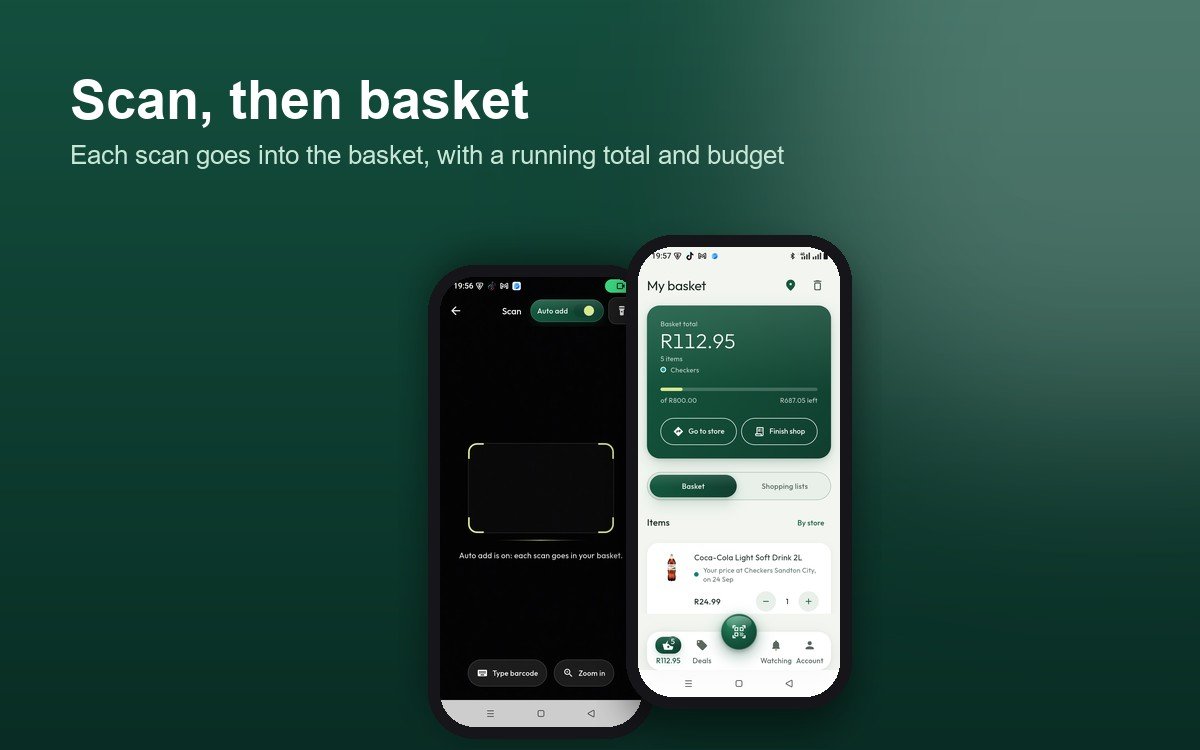
The scanner sits behind the middle button. Turn on Auto add and each barcode goes straight into the basket, with a short banner and an Undo button. If the camera is not available, you can type the 8, 12 or 13 digits under the barcode.
The green card at the top of the basket shows the total, the item count, and the store it comes from. Set a budget and a bar shows how much is left, or how far over you are. Finish shop gives a receipt of the basket as it stands, with each store's known subtotal.
Watching and shelf prices
Tap the bell on any product and it moves into Watching, which splits your products into those whose price has moved and those that have not. Each row shows the current price, the price you saved, and the date it was checked. Price-change notifications are on the list for later and are not built yet.
You can also save a price you see on the shelf, with the branch and the date. Shelf prices are shown as yours and never mixed into store prices.
Where the prices stand today
Coverage differs by chain, and we would rather say so than hide it:
- **Checkers and Shoprite:** product pages are checked every day, and prices are shown with their date.
- **Pick n Pay:** products are listed, but prices are not yet shown in the app.
- **Woolworths:** a small number of dated prices so far.
- **SPAR:** there is no online price list, so SPAR branches are shown without SPAR prices.
The app holds more than 1,600 branches across these five chains. Store choice is context only: it never changes a price, and the app never picks a store for you.
What we would tell another team
Three things we took from building this:
1. **Decide how missing data looks before you build the screens.** Zero, blank and "unknown" are three different answers, and the wrong one looks like a good deal. 2. **Put the date next to every number.** A price without a date invites the wrong decision. 3. **Say what is not built yet.** The iGroZa magazine lists what works today and what is planned, and the app follows the same line.
Try the test version
iGroZa is a free test version for Android. Download it from igroza.com, open the file, and allow the install when Android asks. The page publishes a checksum and the signing certificate so you can check the file first. Updates install over the existing app, so your account and lists stay.
If you want the same kind of app built for your business, or a basket and pricing tool for your own shoppers, get in touch with the Demohomex team.